I’m prepping for my session at the Alamo STEM Ecosystem Educator Conference (FREE if you’re interested in attending) this Saturday, February 22nd, and it is called, “CONNECTED THINKING: Unlocking the Joy of STEM with Hexagons.” I’ve done a bazillion Hexagonal Thinking workshops, but I always change them up to customize them for the audience and to add new resources I’ve found. One resource that I’ll be talking about this Saturday will be Diffit.
Wait! What’s Hexagonal Thinking?
If you’re new to this learning strategy, here is one of the many blog posts I’ve done on it in the past. You might also want to read this guest post that Betsy Potash did on the Cult of Pedagogy about it. There’s a lot I can say about Hexagonal Thinking (I had a hard time condensing it for this week’s 45-minute session!) but I will summarize it by saying that students make connections with what they are learning about by joining concepts that are on individual hexagons and explaining their reasoning. It’s collaborative, promotes critical thinking, and great for retrieval practice. If you can’t attend my session, do an internet search for “hexagonal thinking videos” and you will get the idea.
OK. Now What the Heck is Diffit?
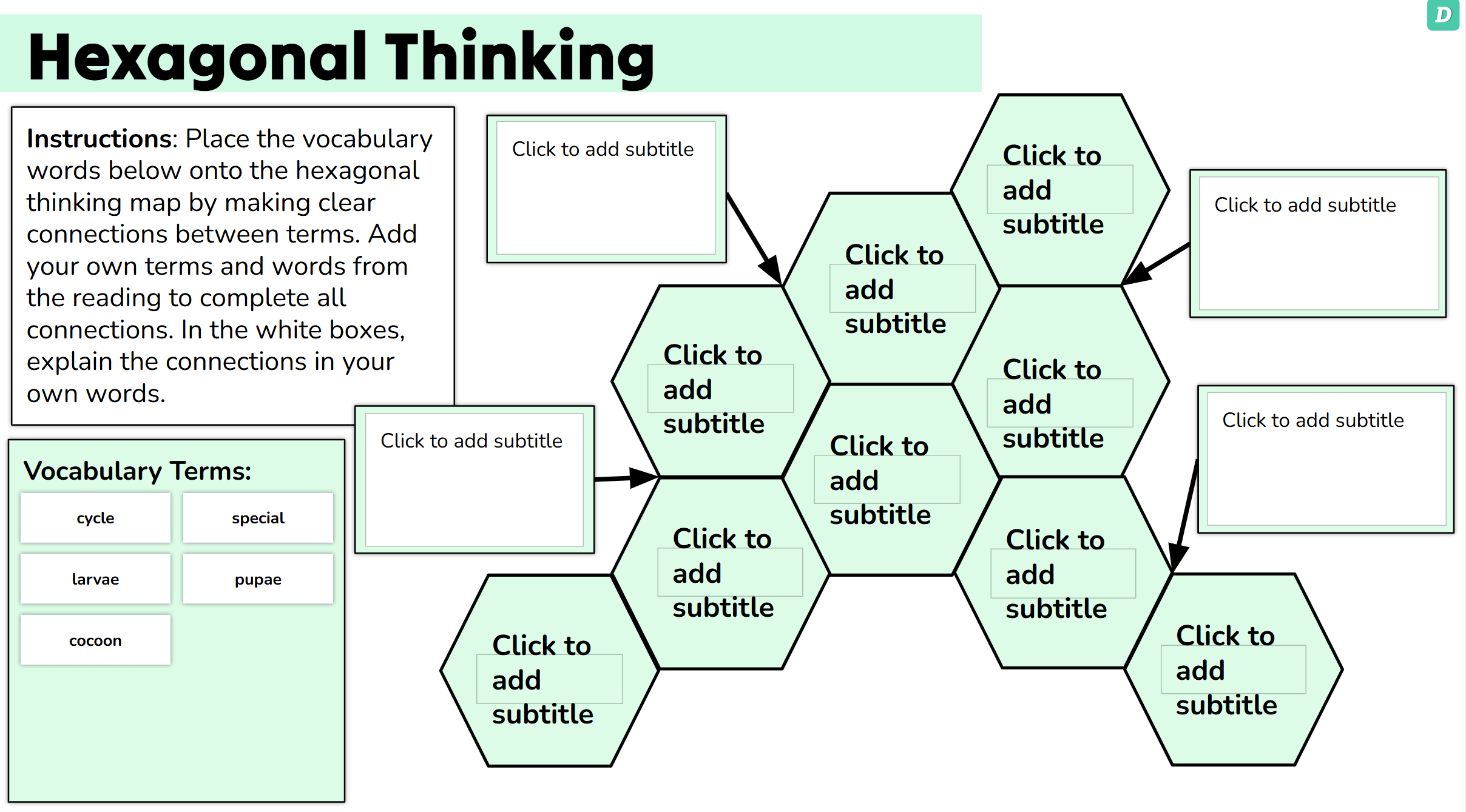
If you’re a teacher, well honestly if you’re anyone, you have suffered a barrage of AI tools being thrown at you that will “make your life simpler.” You do not have the time to test each one, and maybe don’t even have the inclination. Diffit is one of many that is marketed toward teachers, but it does do something that I haven’t found in the others. (You can read more about Diffit in this post from TCEA.) One of the many ways Diffit can help you is to create hexagonal thinking activities from any resource you upload: PDF, video URL, vocab. list, etc. Now sure, there are already hexagon generators out there, but you have to type in the words or upload a list first — which means you have to think of them or hope your curriculum provided them. Diffit uses the power of AI to generate the words on its own and/or you can add ones you like. And on a Thursday night when your brain is too fried to boil water much less cook up an entire feast of exciting ideas for your students, that can be a huge win.
And That’s Not All!
Diffit doesn’t just make hexagons for you. It prints out an entire “workbook” with a “See, Think, Wonder” activity, notes, group discussion and short answer questions, and a reflection. Now, I’m not a big fan of workbooks (even though I was a nerd who LOVED doing them when I was a kid), but even if you don’t want to use the workbook, you’ve now got a springboard for how you want to guide student learning throughout this lesson. The only thing Diffit doesn’t do for you is prescribe what you have to do. Well, and it can’t cut out the hexagons for you.

Don’t want to worry about cutting hexagons? No problem, there is an alternate version of the activity that makes Google Slides with your terms that you can just click and drag to the hexagons.
How Do I Do This?
First of all, you can do this for free just by signing up for Diffit. Of course, there is a tiered pricing program that offers more features if you pay (such as aligning to state standards), but I did all of my examples in the free version. Once you’re signed up, you can go to this link to get your Hexagonal Thinking workbook started. If you want instructions, here is a great short video from @MsGreeneEDU that explains what to do. For the digital version where students can just drag the terms, you will want this link.
AI Can Be a Pedagogical Aide, But NOT the Teacher
There is no way Diffit can substitute for a good teacher, who stimulates discussion with great questions and helps students to discover patterns and connections with their hexagonal thinking that they never would have considered before. But, you can take advantage of the time that Diffit can save you in planning and use that to energize your time in the classroom, engaging your students with a learning strategy that piques their interest and creates lasting understanding.